Bókun bookings, built into your own website
We connect Bókun to your WordPress site, so visitors book from the Bókun calendar on your tour pages while you keep managing tours and prices in Bókun.
How the integration works
Bókun stays where you run tours and prices. Your site shows them and takes the booking.
A booking calendar on each tour
The Bókun calendar is embedded on the tour page, and it loads only on the pages that show it.
Prices that follow Bókun
Each tour reads its price from Bókun once a day, so the price on your site follows the one you set there.
Variants on one page
When a tour is sold as several Bókun products, such as 2-seat and 4-seat buggies, guests choose on one page, and each option has its own link to share.
Bookings credited to the right site
Each site books through its own Bókun booking channel, so you can see which site sold a booking.
Safe when data is missing
If a tour's Bókun id is missing or wrong, the page falls back to its normal layout instead of showing a broken calendar.
Fast pages, working bookings
The calendar is checked on cached pages and through the Cloudflare edge, so caching for speed does not break booking.
How we set it up
From the API keys to a live calendar.
How we connect Bókun to a WordPress site, from the API keys to a live calendar.
Connect your account
We connect the site to Bókun with your API keys, stored in the site's settings and never in its code.
Link your tours
Each tour on the site is linked to its Bókun product, or to several when it comes in variants.
Schedule the price sync
Prices come in from Bókun once a day, and a tour whose price cannot be read keeps its last one.
Embed the calendar
One booking calendar per tour page, with a variant chooser that works even without JavaScript.
Test it live
We check that the calendar loads and takes a date on each tour page, after a cache purge and on a warm cache.
Bókun in practice
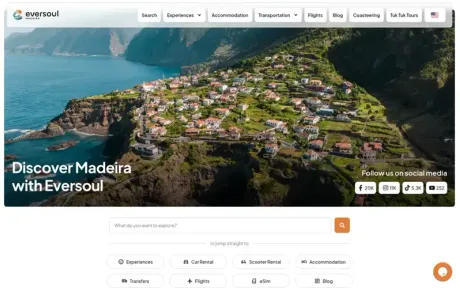
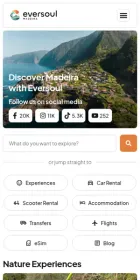
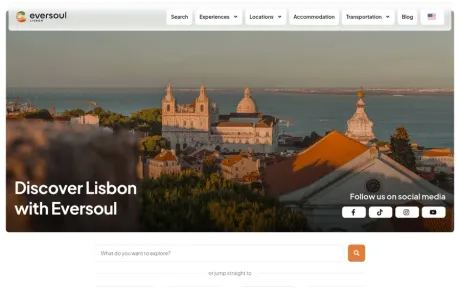
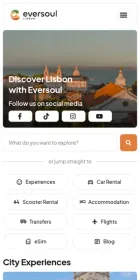
Three tourism sites with Bókun booking on their tour pages.
Three tourism sites with Bókun booking on their tour pages.


Frequently asked questions
Can Bókun work with my existing website?
Yes, if it runs on WordPress. We add the Bókun calendar and the price sync to your tour pages.
Do I manage prices in Bókun or on the website?
In Bókun. The site reads each tour's price from Bókun once a day, so you change it in one place.
Can the site use Bókun and another booking engine together?
Yes. On the Eversoul sites, some tours book through Bókun and others through FareHarbor or TourDesk, each with its own calendar on its tour page.
Have you built Bókun booking sites?
Yes. Eversoul Madeira offers its buggy tours through Bókun, with seat variants, and Eversoul Lisbon its Belem tuk tuk tour. Madeira Trail Up moved its tour bookings to Bókun. All three are linked above.
Do you also work with FareHarbor?
Yes. We embed FareHarbor booking in WordPress sites too.
Selling tours on Bókun?
A 30-minute discovery call about your tours, your Bókun setup, and how your site should sell them.